
How to Take Meeting Notes That Actually Drive Action

Forget trying to write down every single word. The secret to great meeting notes is capturing the essentials: key decisions, action items, and critical questions. This simple shift turns your notes from a rambling transcript into an actionable roadmap for your team, providing clarity and driving progress long after the meeting ends.
The Real Cost of Bad Meetings
Ever left a meeting feeling like you just wasted an hour of your life? We've all been there. You sit through a discussion that goes in circles, only to end with a vague "we'll circle back on this." It's not just frustrating; it's a massive financial black hole for businesses.
The numbers are genuinely shocking. In the United States alone, poorly run meetings cost businesses an estimated $37 billion every year. This isn't just an abstract figure. It comes from the fact that US companies hold somewhere between 36 to 56 million meetings every single day. Ineffective notes are a huge part of the problem, contributing to a staggering 67% of those meetings being deemed failures.
We’ve all experienced the fallout from these unproductive sessions. To show how a better note-taking strategy provides a direct solution, let's break down the common pain points.
From Meeting Chaos to Actionable Clarity
| Common Meeting Problem | Business Impact | The Note-Taking Solution |
|---|---|---|
| "Meeting Amnesia" | Decisions made during the call are forgotten or re-litigated later, causing project delays and repeated work. | A clear record of decisions creates a single source of truth that the entire team can reference. |
| Lack of Accountability | Tasks are assigned vaguely ("someone should look into this"), but no one takes ownership, and nothing gets done. | Capturing specific action items with assigned owners and due dates ensures everyone knows who is responsible for what. |
| Circular Discussions | The same topics and questions come up in meeting after meeting without resolution, wasting valuable time. | Documenting key questions and open issues prevents redundant conversations and focuses future discussions on progress. |
| Misaligned Teams | Attendees leave with different interpretations of what was agreed upon, leading to confusion and conflicting efforts. | A shared, concise summary ensures everyone is on the same page, aligning the team around a common goal. |
This table highlights a clear pattern: the chaos of a bad meeting is almost always a failure of documentation. Good notes are the antidote.
Why Your Notes Matter More Than You Think
Mastering the art of note-taking is the single most powerful way to turn meandering conversations into real-world results. Your notes are the bridge between a brilliant idea discussed on a call and the actual work that needs to happen. Without that bridge, great insights, critical decisions, and assigned tasks simply evaporate the second the Zoom call ends. To really get this right, you need to understand how to take better meeting notes that are both comprehensive and easy to scan.
Taking great notes isn't just an administrative chore; it's a strategic act. It ensures alignment, creates accountability, and builds a repository of team knowledge that prevents you from solving the same problems over and over.
Thankfully, modern tools have completely changed the game. AI-powered platforms like SpeechYou—which is having mobile apps, and available everywhere—can reclaim this lost value. By automatically transcribing and summarizing conversations, these tools free you up to actually participate in the discussion instead of furiously typing to keep up. This is how you turn meetings from a liability into an asset that actually moves your projects forward. As a next step, you might also find value in our guide on how to improve team communication, which pairs perfectly with a solid note-taking strategy.
Prepare for Success Before the Meeting Begins
The best meeting notes don’t start when the meeting does. The real work—the stuff that makes note-taking effective instead of a chore—happens before anyone even joins the call. This isn’t about adding more to your plate; it’s about setting up a simple framework so you can capture what actually matters with way less effort.
Walking into a meeting unprepared is a recipe for chaos. You'll spend the whole time just trying to keep up, scribbling down everything instead of listening for the important bits. A few minutes of prep turns you from a frantic stenographer into a focused participant, ready to take meeting notes that actually lead somewhere.
This is the difference between meetings that drain resources and meetings that create value.
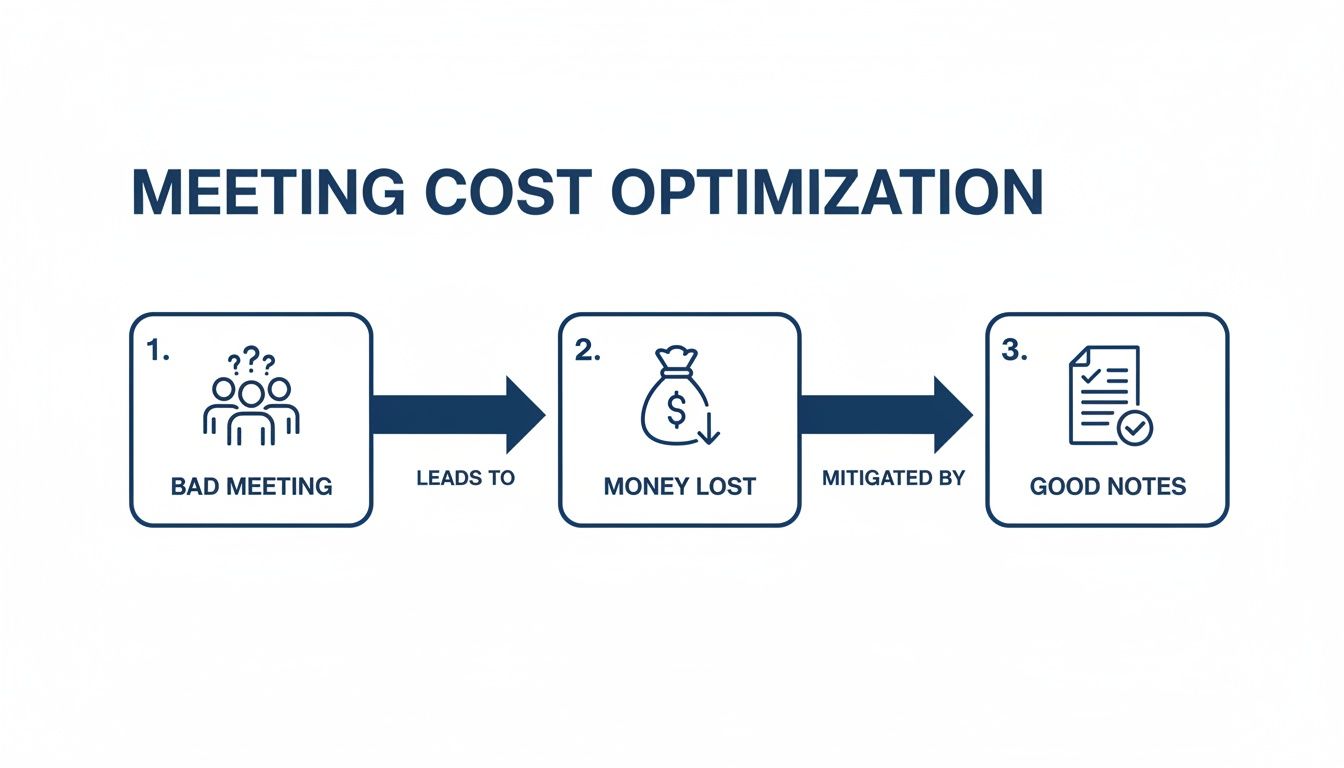
As you can see, the path is simple: bad meetings burn cash. Good notes stop the bleeding by making sure every minute is accounted for.
Define Your Purpose and Desired Outcomes
Before you open a new document, ask one critical question: "Why are we having this meeting?" If you can't answer that, your notes will be aimless.
Scan the agenda. What decisions have to be made by the end of this call? What key problems are on the table? Jot down 2-3 specific outcomes you want to achieve. This simple act primes your brain to listen for the signals and ignore the noise during the actual conversation.
For a deeper look at setting clear objectives, check out our guide on crafting an effective board meeting agenda. The principles apply to any meeting where the stakes are high.
Set Up Your Digital Note-Taking Environment
There's nothing worse than fumbling with your software or trying to find the right file just as the CEO starts talking. Get your digital workspace ready before the meeting starts. Create a new document or use a template ahead of time.
This template doesn’t have to be fancy. Just the basics will do:
- Meeting Title & Date: So you can find it later.
- Attendees: A quick list to track who said what.
- Agenda Items: Copy and paste these in. This creates an instant outline.
- Key Questions: Based on the agenda, what do you need answers to?
This structure acts like a scaffold. It gives you pre-built slots to drop in decisions, action items, and key quotes as they happen.
By preparing a simple template beforehand, you shift your in-meeting focus from 'How should I organize this?' to 'What is the most important thing being said right now?' This mental shift is the key to capturing high-value information.
Prepare Your Tools for Flawless Capture
For any virtual meeting, your tech setup is just as important as your template. You need a bulletproof way to capture the entire discussion, especially when people are talking over each other. This is where an AI tool becomes your safety net.
With SpeechYou, for instance, you can just flip on "Meeting Mode" before your Zoom or Teams call. It’s designed to capture audio from both your mic and your computer's output, so every single participant gets transcribed clearly.
And since SpeechYou is having mobile apps, and available everywhere, you can do this from your desk, your iPhone, or your iPad. A quick tech check beforehand gives you a perfect, verbatim record to fall back on. This frees you up to focus on the big picture instead of trying to capture every single word.
Capture What Matters in Real-Time
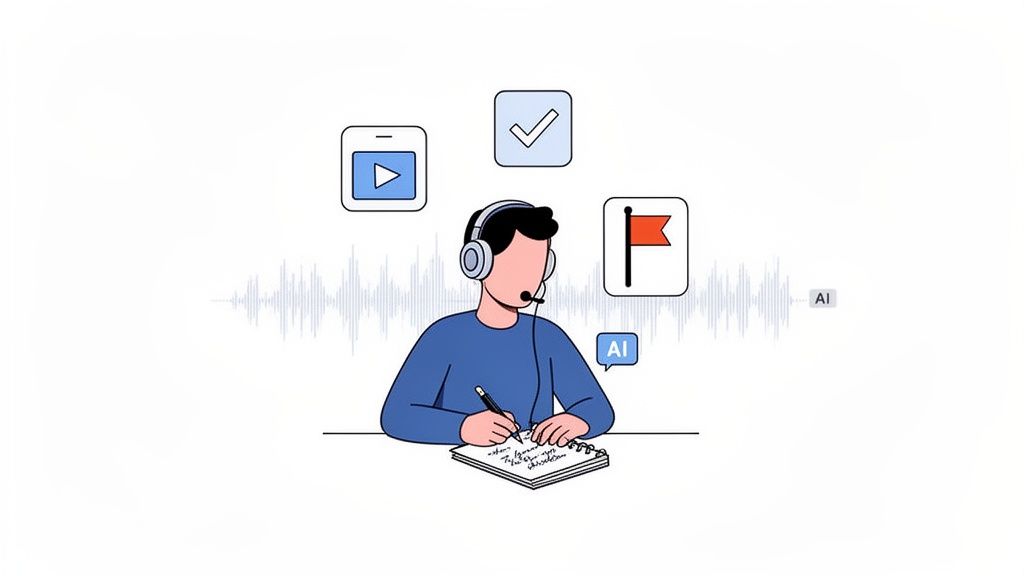
The meeting is rolling, and the conversation is moving fast. This is where most people get it wrong. The impulse is to become a human typewriter, furiously clacking away to catch every single word. But this approach is a trap—it's exhausting, and while your fingers are busy, your brain isn't fully engaged.
You end up as a stenographer, not a participant.
The secret to great real-time notes is a mental shift. Stop trying to "document everything" and start learning to "identify what matters." It’s a skill that combines sharp listening with a bit of strategy, letting the right tools handle the grunt work.
Master Active Listening and Shorthand
Active listening is your best filter. You're not just hearing the conversation; you're hunting for the specific pieces of information that will actually mean something after the call ends.
Train your ear to perk up when you hear trigger phrases that scream "this is important!":
- Decisions Made: "Okay, we're going with option B." or "It's settled, we'll move forward on..."
- Action Items Assigned: "I'll take that on." or "Can you get that report to me by Friday, Sarah?"
- Problems & Roadblocks: "The main issue we're facing is..." or "I'm not sure I agree with that because..."
- Key Questions: "So what's the final timeline on this?" or "Who is the main point of contact?"
When you hear one of these, that's your cue to write. To keep up, you'll need a simple shorthand system. This doesn't have to be complicated—just a few personal symbols you can use consistently.
Here’s a quick example:
- [AI] Sarah to send Q3 sales report (EOD Friday)
- [D] Project launch moved to Oct 15.
- [Q] Who approves the final design mockups?
This approach keeps your manual notes lean and hyper-focused, letting an AI assistant handle the rest.
Let AI Handle the Verbatim Record
This is where the modern workflow to take meeting notes really comes together. While you're zeroed in on capturing the strategic bits, a tool like Speechyou can run silently in the background, creating a perfect, word-for-word transcript of the entire meeting.
This hybrid model gives you the best of both worlds. You get a complete, searchable record of everything said without the mental overload of trying to type it all yourself. You're free to actually think, ask smart questions, and guide the conversation, knowing that not a single detail will be lost.
The most effective note-takers don't try to do everything themselves. They delegate the task of transcription to technology, freeing up their cognitive energy to focus on participation, analysis, and strategic thinking during the meeting itself.
Because Speechyou is having mobile apps, and available everywhere, this strategy is just as powerful on a client call from your iPhone as it is during a formal presentation at your desk. You can apply this workflow to any meeting, ensuring you always capture what matters without sacrificing your presence.
To really get the most out of this, it helps to pair AI with a solid manual system. You can explore some of the best note taking methods out there to find one that fits your style.
Using Timestamps for Strategic Annotation
With a full transcript being generated for you, your real-time notes can get even smarter. Instead of writing out a whole thought, just drop a timestamp next to a quick observation.
For example, if a client brings up a major concern around the 15-minute mark, your note could be as simple as: "15:32 - big client concern re: budget."
Later, you can jump straight to that exact moment in the Speechyou transcript to pull the direct quote and understand the full context. It's so much faster than scrubbing through an entire audio recording. If you want to see this in action, check out our guide on creating a Zoom meeting transcript.
The need for this kind of rock-solid capture is bigger than ever. Globally, a staggering 37% of meetings end without a decision being made. It's no wonder so many people feel like their time is wasted. But good notes are the antidote; 79% of professionals say a clear agenda paired with effective notes makes meetings more productive.
And with 86% of workers now collaborating with remote colleagues, having tools that create a perfect record of who said what isn't just a nice-to-have—it's essential. You can find more meeting productivity statistics on ICCAWorld.org.
Turn Raw Notes Into Actionable Intelligence
The meeting is over. You can finally breathe. But let's be honest, the real work starts now. A page full of scribbled notes or a raw transcript is just raw material; its actual value comes from turning that mess into a clear, actionable game plan. This is where you shift from just recording what happened to actually driving what happens next.
Think of this post-meeting step as your insurance policy against pointless meetings. It’s all about pulling out the concrete decisions, assigning clear ownership to tasks, and flagging the questions that still need answers. If you skip this, you’re setting yourself up for those dreaded "So, what did we actually decide?" follow-up emails that everyone hates.
Getting this right has never been more critical. The video meeting market is now worth over $10.03 billion, and platforms like Microsoft Teams have seen their usage triple since early 2020. But this explosion in virtual calls comes with a hefty price tag. Companies can lose an estimated $29,000 annually per employee on wasted meeting time, a problem made worse by a 52% drop in our attention spans after just 30 minutes. As ArchieApp.co points out, these numbers are a wake-up call. We need a better way to turn all that talk into tangible results.
From Transcript to Treasure Map
Imagine your raw transcript is a dense, overgrown jungle. Your first job is to clear a path.
Start by quickly scanning the text. You're not rereading every single word—that’s a waste of time. Instead, you're looking for the same trigger words and phrases you were listening for during the meeting. As you spot them, use bolding, highlights, or comments to make them pop.
You’re basically doing a quick triage to find the main pillars of the conversation:
- Decisions Made: What did we actually agree on? Find the exact phrasing.
- Action Items: Who said they would do what? Look for a name attached to a task.
- Open Questions: What was left unresolved? These are your follow-up items.
This first pass gives your notes some structure and gets them ready for the real magic.
Let AI Do the Heavy Lifting for You
Nobody has time to manually sift through a 60-minute transcript just to pull out every single task and deadline. It’s boring, and it's incredibly easy to miss something important. This is exactly where AI tools completely change the game. This is the moment to take meeting notes from a chore to a superpower.
With Speechyou, it's almost laughably easy. Instead of blocking off 30 minutes on your calendar to summarize, you just use the 'Ask AI' feature.
Open your transcript and simply ask it what you need:
- "List all action items with owners and due dates."
- "Give me a three-sentence summary of the key decisions."
- "What were the main objections raised during the product demo?"
In seconds, the AI scans the entire conversation and spits out a clean, structured answer. This feature is built into all of Speechyou's mobile apps and everywhere you work, completely overhauling your post-meeting workflow. You go from a tedious admin task to a quick check-and-send.
This isn't just about saving time. It's about changing your role. You stop being a clerk who documents the past and become a strategist who can immediately focus on the future, armed with AI-generated insights to drive the next steps.
Structure Your Final Notes for Maximum Impact
Okay, you've got your AI-generated summaries and task lists. The last step is putting them into a format that anyone can scan and understand in less than a minute. A giant wall of text will get ignored, guaranteed.
I’ve found that a simple three-part structure works every time:
- Executive Summary: Kick things off with 2-3 bullet points covering the main outcomes. This gives busy people the bottom line right away.
- Key Decisions: List out each major decision that was made. Be specific. "We decided to move forward with the Q3 marketing plan" is useless. "Decision: The Q3 marketing plan was approved with a $50k budget" is crystal clear.
- Action Item Table: This is the most important part. Create a simple table with three columns: the task, the person responsible, and the deadline. This format creates instant accountability. No more confusion about who owns what.
This structured approach makes sure your notes don't just sit in a folder; they actually drive action. If you want to get your team started on this workflow, a dedicated meeting notes generator can give you the perfect template. By consistently turning raw notes into actionable intelligence, you close the loop on every meeting and ensure every conversation pushes the ball forward.
Share and Store Notes to Build Team Knowledge
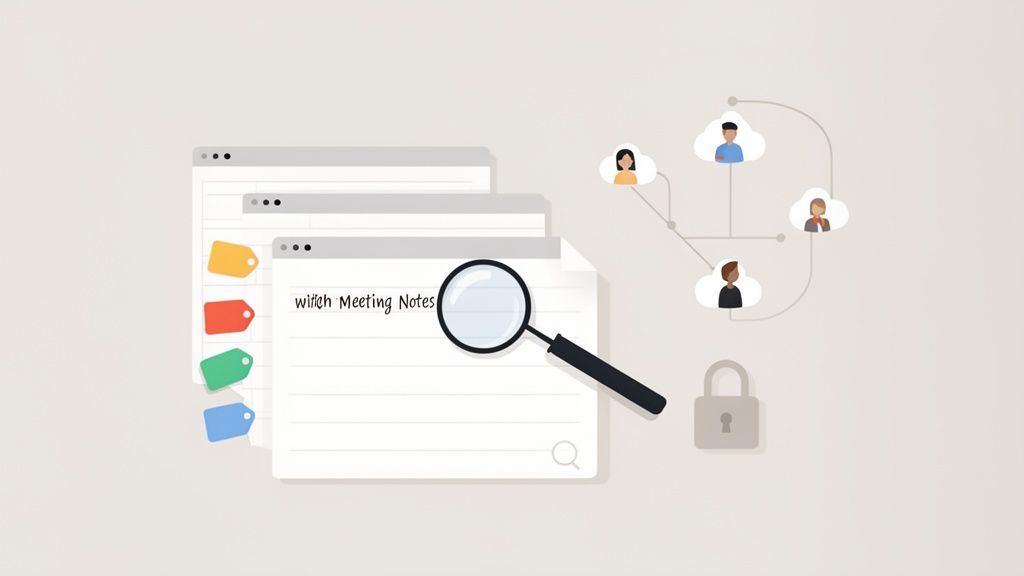
Let's be honest, even the most meticulous meeting notes are completely worthless if they just sit on your desktop gathering digital dust. Their real value is unlocked the moment they're shared, stored, and made easy for the right people to find.
This last part of the process is what turns your notes from a temporary document into a permanent asset. It’s how you build team alignment, ensure everyone is accountable, and stop having the same conversations over and over again. The goal isn't just to fire off an email to attendees; it's to create a living, searchable library of your team's decisions.
Tailor Your Summaries for Different Audiences
Nobody wants to wade through a wall of text that isn't relevant to them. A one-size-fits-all summary guarantees your hard work will be ignored. To make sure people actually read and act on your notes, you need to customize the message for who's receiving it.
Think of it this way:
- For Executives: They are short on time and need the bottom line, fast. Give them a high-level summary with 2-3 bullet points covering the key decisions and strategic wins. That’s it.
- For the Project Team: This is your core crew. They need all the details. Share the full notes, the action item table with owners and deadlines, and a link to the complete transcript so they can dig into the context if needed.
- For Cross-Functional Stakeholders: People in other departments just need to know how this meeting impacts their world. Send them a quick, focused summary of the decisions and action items that directly affect their work.
This simple step shows you respect everyone's time, which makes them far more likely to pay attention.
Build a Centralized Knowledge Base
Notes saved on individual hard drives are where good ideas go to die. To really build a collective team brain, you need a central, searchable home for all your meeting records.
When you have one single source of truth, everything changes. Need to remember why a decision was made six months ago? Just search for it. New hire needs to get up to speed on a project? Point them to the meeting history.
Your goal is to create a system where past decisions are easily discoverable. This turns your meeting notes from a short-term communication tool into a long-term strategic asset that builds institutional memory.
Modern tools are built for this. A platform like Speechyou, for example, gives your team a shared workspace that becomes this central hub. Instead of losing track of email threads and attachments, you have one secure place for every transcript and summary.
And because Speechyou is having mobile apps, and available everywhere, your team can tap into this knowledge from their desktop, iPhone, or iPad. For a deeper dive into structuring these summaries, check out our guide on how to summarize a meeting.
Organize for Effortless Discovery
Okay, so you have a central place—now what? Just dumping files into a shared folder creates a new kind of mess. The final piece is organizing everything so it's ridiculously easy to find what you're looking for.
A simple but consistent system is all you need.
- Tagging: Get in the habit of using tags for project names (
#ProjectPhoenix), departments (#Marketing), or meeting types (#Q4Planning). This lets anyone filter down to exactly what they need in seconds. - Powerful Search: A good knowledge base is only as good as its search bar. Speechyou’s global search function lets you hunt for keywords across every single transcript, making it easy to pinpoint a specific decision or quote from months ago.
- Security: As you build this treasure trove of information, you have to protect it. Make sure your platform uses end-to-end encryption and has a rock-solid security foundation to keep sensitive company data safe.
When you share your notes thoughtfully and store them in an organized, searchable system, you create a powerful flywheel of knowledge that makes your whole team smarter and more aligned.
Common Questions About Taking Meeting Notes
Even with the best tools and intentions, a few nagging questions always pop up when you're trying to get better at taking meeting notes. We've been there. Here are some of the most common hurdles we see, along with practical answers to help you clear them.
How Detailed Should My Meeting Notes Be?
This is the classic "it depends" question, but the real answer is tied directly to the meeting's purpose. If it's a legal or compliance discussion, you'll need a nearly word-for-word record. If it’s a creative brainstorm, you just need to capture the big ideas and sparks of inspiration.
But for the 95% of meetings that are about moving a project forward, your notes should be relentlessly focused on just three things: decisions made, action items (who does what by when), and any blockers.
The smartest approach we've found is a hybrid one. Let an AI tool like Speechyou handle the full, perfect transcript. While it works in the background, you just focus on jotting down the high-level strategic takeaways. You get total recall without the noise.
This gives you a complete safety net to go back to for specifics, but your main notes stay clean, scannable, and focused on what actually matters.
What Is the Best Way to Share Meeting Notes?
Whatever you do, don't just email a wall of text. The biggest mistake people make is sending out their raw, unedited notes. Your colleagues are drowning in information; your job is to make it easy for them to see what's important in 60 seconds or less.
A solid, shareable summary almost always has these three parts:
- A quick summary: One or two sentences right at the top that state the meeting's main outcome.
- Bulleted decisions: A simple, clear list of every decision that was made.
- An action item table: This is non-negotiable for clarity. Make a simple table with columns for 'Task,' 'Owner,' and 'Due Date.'
Bolding names and key dates also goes a long way. This is another area where AI tools are a massive help, as they can generate this structured summary for you. A quick polish, and it's ready to send.
How Do I Take Good Notes and Still Participate?
Ah, the million-dollar question. Trying to type everything a person says while also thinking critically about the conversation is a surefire way to fail at both. You’ll either capture garbled notes or miss your chance to contribute.
The only effective strategy is to offload the transcription task to technology so you can stay present and engaged.
Before the meeting starts, just run an AI transcriber to capture the whole conversation. Because Speechyou is having mobile apps, and available everywhere, you can record from your computer for a video call or even from your phone for an in-person chat. This one simple step frees up your mind to actually listen, ask good questions, and share your own ideas. Your only job during the meeting is to maybe jot down a timestamp or a key idea, knowing the full context is being saved for you.
Are Digital Note-Taking Tools Secure for Confidential Meetings?
Security is everything, especially when you’re discussing client information, financials, or unannounced strategy. Not all tools are built the same, so you have to be picky and choose one with enterprise-grade security baked in.
When you're looking at a tool, here are the absolute must-haves:
- End-to-end encryption: This ensures your data is locked down while it's being transferred and while it's stored.
- Compliance certifications: Look for standards like SOC 2. It's a clear sign that a company takes its security and privacy obligations seriously.
Tools like Speechyou are built on this security-first foundation, so your conversations are protected from start to finish. For any sensitive business discussions, stay away from free, consumer-grade apps with fuzzy security policies. Always do your homework first.
Ready to turn messy meetings into clear, actionable results? Speechyou gives you the AI-powered transcription and summaries you need to capture every detail, pull out the key insights, and create a searchable knowledge hub for your team.
Start for free and experience smarter note-taking today at Speechyou.
Tags
Share this article
Related Articles

8 Essential Ground Rules for a Meeting to Boost Productivity in 2026
Transform your team's efficiency with these 8 essential ground rules for a meeting. Learn how to set...

A Guide to Modern Meeting Transcription Software
Discover how meeting transcription software transforms conversations into actionable data. Learn to...

How to Improve Team Communication for Hybrid Teams
Discover how to improve team communication with actionable strategies for hybrid work. Learn to diag...