
Summarize a Meeting: Quick Tips to Capture Highlights

A good meeting summary isn't just a formality. It’s the tool that turns an hour of conversation into a clear, scannable document everyone can act on. It captures the key decisions, who owns what next, and the main points of discussion, making sure nothing important gets lost the second everyone leaves the room.
The True Cost of Inefficient Meetings
We’ve all been there. You sit through a meeting that feels like it's going in circles, and when it finally ends, the important takeaways seem to just evaporate. That's not just annoying; it’s a massive drain on your company's time, money, and morale. All that valuable discussion time becomes a sunk cost.
The problem has exploded in our current work-from-anywhere world. Data shows that in the US alone, we're holding between 36 and 56 million meetings every single day. The ineffective ones cost businesses a mind-boggling $37 billion a year in lost productivity. For remote and sales teams that live and die by clear communication, this is a crisis. In fact, since early 2020, meeting volume on Microsoft Teams has shot up by 192%. Virtual meetings aren't going anywhere.
Why a Solid Summary Process Matters Now
Without a reliable system for summarizing meetings, your team is probably feeling the pain, even if they can't put a finger on it. The consequences sneak up on you.
- Misaligned Priorities: People walk away with completely different ideas of what was decided. This leads to wasted effort on the wrong tasks or crucial work falling through the cracks.
- Lost Accountability: Action items that aren't clearly written down and assigned are easily forgotten. Hello, project delays and missed deadlines.
- Wasted Time: How many hours do your employees spend trying to remember details from a call, chasing down coworkers for clarification, or worse, re-watching a full hour-long recording?
- Reduced Engagement: When meetings feel like they go nowhere, people check out. They stop contributing, and the quality of your discussions plummets.
A great meeting summary acts as a single source of truth. It bridges the gap between discussion and action, ensuring everyone is on the same page, regardless of whether they attended live.
Fixing this isn't a luxury; it's essential for running a tight ship. A smart workflow, backed by the right tools, is how you turn meeting chaos into clarity. This is exactly where a tool like SpeechYou comes in, giving you a seamless way to capture conversations and distill them into actionable notes. Because SpeechYou is available everywhere and has dedicated mobile apps, your team can stay aligned no matter where they are. Of course, it all starts with a solid foundation, which is why having a clear board meeting agenda is the perfect first step.
Preparing for a Perfect Meeting Summary
A great meeting summary doesn't just happen after the call ends. The real work begins long before anyone logs on. If you want a clear, accurate record, you need to lay the groundwork first. This goes beyond just having an agenda; it’s about setting yourself up to capture every important detail without a hitch.
First things first: get clear consent to record. This isn't just about checking a legal box—it’s about building trust. A simple, upfront statement like, "Hey everyone, I'm going to record this call for our notes, is that okay?" sets the right tone and makes sure everyone is on the same page.
When meetings are disorganized, the costs add up fast. We're talking about real money and wasted time.
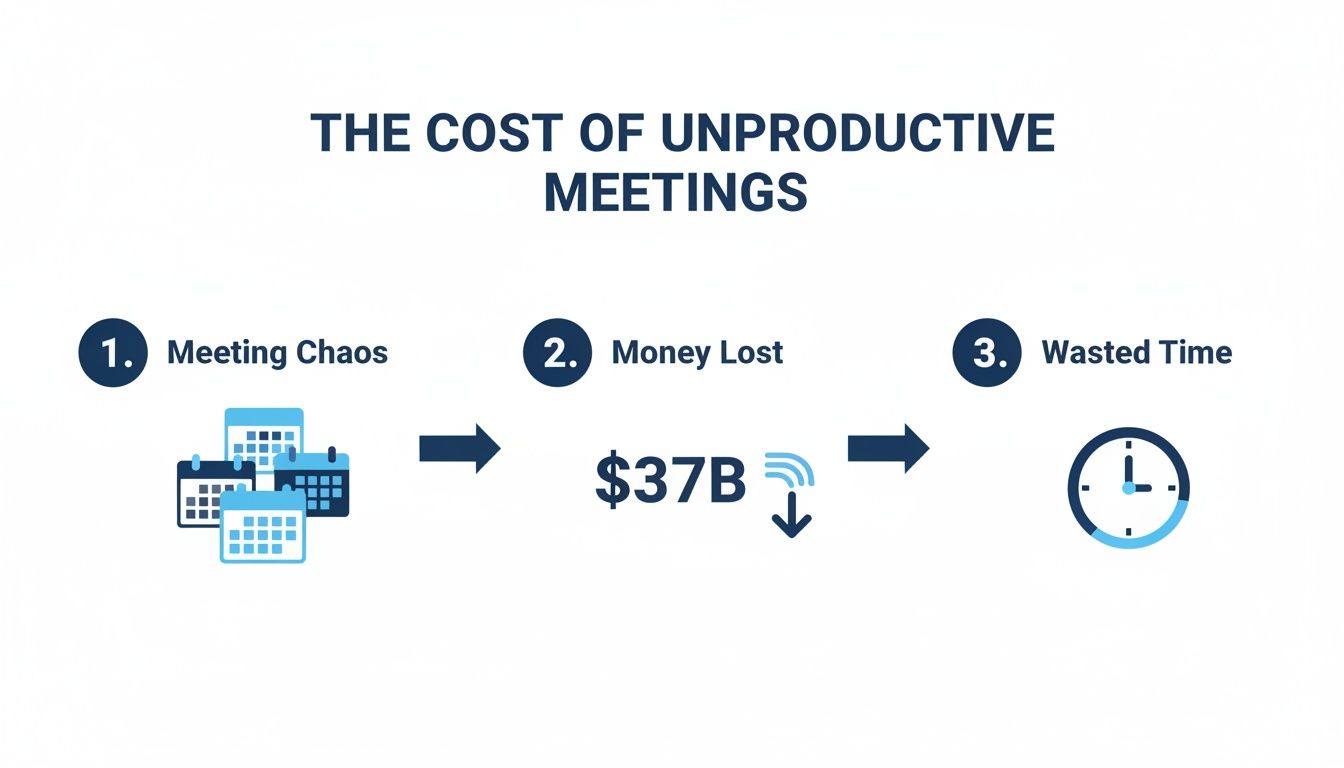
This isn't a minor inconvenience; it's a major drain on resources that smart preparation can help prevent.
Configuring Your Tools for Optimal Capture
Once you have the green light to record, it's time to think about your tech. The quality of your audio recording is everything. It directly determines how accurate your AI transcription will be. Bad audio in means a jumbled transcript out, leaving you to clean up the mess.
Here's how to get it right from the start:
- Encourage Headsets: Gently ask participants to use a headset with a mic. This one small step makes a massive difference in cutting out background noise and echo.
- Check Your Connection: A spotty internet connection leads to audio dropouts, which means gaps in your recording and your transcript. Do a quick check beforehand.
- Use the Right Tool: Don’t try to piece together different apps and plugins. A dedicated tool makes the whole process ridiculously simple.
This is where a solution like SpeechYou really shines. Instead of messing with complex settings, its "Meeting Mode" is built specifically for this. It seamlessly captures your mic audio and the system audio from platforms like Zoom, Google Meet, or Microsoft Teams. With mobile apps and availability everywhere, you can get high-quality audio no matter where you're working.
I can't stress this enough: setting up your recording tools correctly beforehand is the single most important thing you can do to get a high-quality transcript and an accurate meeting summary.
By getting your tech sorted out, you're not just recording a call; you're creating a reliable source of truth. This prep work makes it so much easier to summarize a meeting later. It also gives you full control over the recording process. For instance, if you're curious about the specifics for a particular platform, check out our guide on how you can record a Teams meeting. A little effort upfront turns a chaotic task into a smooth, predictable workflow.
From Conversation to Accurate Transcript
Let's be honest, trying to frantically type notes while keeping up with a fast-moving conversation is a losing game. It splits your focus. You're never fully participating, and you're definitely not capturing everything accurately. The old way of working is broken.
There's a much better approach: let technology handle the tedious work of transcription so you can stay present and engaged in the actual discussion.
This isn't just a "nice-to-have" anymore. The reality is that remote employees are in 50% more meetings than before, and the total number of meetings has tripled since 2020. That's a mountain of information to document. It's no wonder that time wasted in unproductive meetings has doubled to five hours per week since 2019.
Automated transcription completely changes this dynamic. Instead of walking away from a call with a mess of incomplete thoughts and half-remembered quotes, you get a perfect, verbatim record of who said what, and when they said it.
Manual Note-Taking vs AI Transcription with SpeechYou
The difference between taking notes by hand and using an AI tool is night and day. It’s not just about saving time; it's about improving accuracy and freeing up your mental energy to focus on what matters.
| Feature | Manual Note-Taking | SpeechYou AI Transcription |
|---|---|---|
| Accuracy | Prone to human error, missed details, and personal bias. | Verbatim, timestamped record with 95%+ accuracy. |
| Time Investment | Hours spent typing, cleaning up notes, and verifying details. | A few seconds to process and generate a full transcript. |
| Focus in Meeting | Divided between listening, typing, and contributing. | Fully engaged in the conversation, knowing every detail is captured. |
| Accessibility | Notes are siloed unless manually shared. | Easily searchable, shareable, and accessible to the whole team. |
As you can see, there’s really no comparison. The AI approach is simply more efficient and reliable.
How It Actually Works
With a tool like SpeechYou, the whole process is incredibly straightforward. After your meeting, you just upload the audio or video file. In seconds, its AI engine—which, by the way, supports over 100 languages—spits out a complete, timestamped transcript.
This transcript becomes your single source of truth, the rock-solid foundation you'll use to summarize a meeting without missing a single detail. And since SpeechYou is available everywhere and has dedicated mobile apps, you can manage this entire workflow from your desk or while you're on the go.
This simple shift liberates you from being the designated scribe.
- For a lawyer, it means a precise record for case files.
- For a marketer, it's an easy way to pull powerful quotes for campaigns.
- For a project manager, it guarantees you never miss an action item again.
The core benefit is simple but profound: automated transcription frees your mental energy to focus on the conversation itself, not just the task of documenting it.
Your entire post-meeting workflow is transformed. Instead of trying to decipher your own messy notes, you start with a perfect transcript, ready for the next step. If you're using Zoom, for instance, you can learn exactly how to transcribe Zoom meetings and plug this method right into your routine. This single move from manual to automated capture is the most impactful change you can make for better meeting outcomes.
Using AI to Generate Instant Insights
Getting an accurate transcript is a great first step, but let's be honest—it's not the finish line. A wall of text, no matter how precise, still needs to be decoded. The real value comes when you can instantly pull clear, actionable intelligence from that conversation to keep projects moving.
This is where AI stops being a transcriber and becomes your personal analyst. Instead of you spending an hour wading through a transcript to pinpoint key moments, an AI tool can surface them in seconds. This completely flips the post-meeting workflow on its head, turning a manual chore into an automated process of discovery.
Crafting Prompts That Deliver Clarity
The quality of your AI summary is a direct reflection of the quality of your instructions. If you ask vague questions, you'll get vague, generic answers. But when you craft specific, thoughtful prompts, you can pull out exactly the information you need. Think of it less like using a tool and more like briefing a hyper-efficient assistant who has a perfect memory of the entire meeting.
With a tool like SpeechYou, you can run these kinds of targeted queries right against your transcript using the built-in "Ask AI" feature. It’s available everywhere, including on the mobile apps, so you can generate insights from anywhere.
Here are a few prompts I use all the time:
- For high-level takeaways: "Summarize this discussion into the three most important decisions made."
- For immediate action: "List all action items with their assigned owners and proposed deadlines."
- For understanding sentiment: "Identify any points of disagreement or potential risks discussed by the team."
- For quick updates: "Generate a brief executive summary suitable for an email to leadership."
Notice how these go beyond a simple "summarize this meeting." They direct the AI to structure the information for specific people and purposes, a task that would otherwise eat up a ton of your time.
A Real-World Before and After
Let's look at a snippet from a typical marketing team check-in. The raw transcript is full of conversational filler.
Before AI Summary (Raw Transcript Segment):
"Okay, so, Jen, you were saying the new campaign visuals are almost done, right? But I think Mark mentioned something about the landing page copy still needing a final review... yeah, he said he's waiting on updated stats from the analytics team. We really need that locked by, what, end of day tomorrow? Let's make sure that happens. Sarah, did you get the final quote from the video vendor? We need to approve that budget ASAP."
It’s accurate, but it's messy and hard to act on. Now, let’s run a simple prompt through SpeechYou: "List all action items from this segment with owners and deadlines."
After AI Summary (Action Items):
- Action Item: Finalize landing page copy.
- Owner: Mark
- Dependency: Awaiting updated stats from the analytics team.
- Deadline: End of day tomorrow.
- Action Item: Approve the budget for the video vendor.
- Owner: Sarah
- Dependency: Final quote from the vendor.
- Deadline: ASAP.
The difference is night and day. The AI cuts straight through the conversational clutter to deliver a clean, organized list that makes accountability crystal clear. This isn't just about saving a few minutes; it’s about building a system where important tasks don't get lost in the noise.
This approach elevates your meeting follow-up from basic note-taking to true strategic information management. If you're looking for more ways to enhance this process, our guide on the meeting notes generator has some great additional resources.
Polishing and Sharing Your Meeting Summary
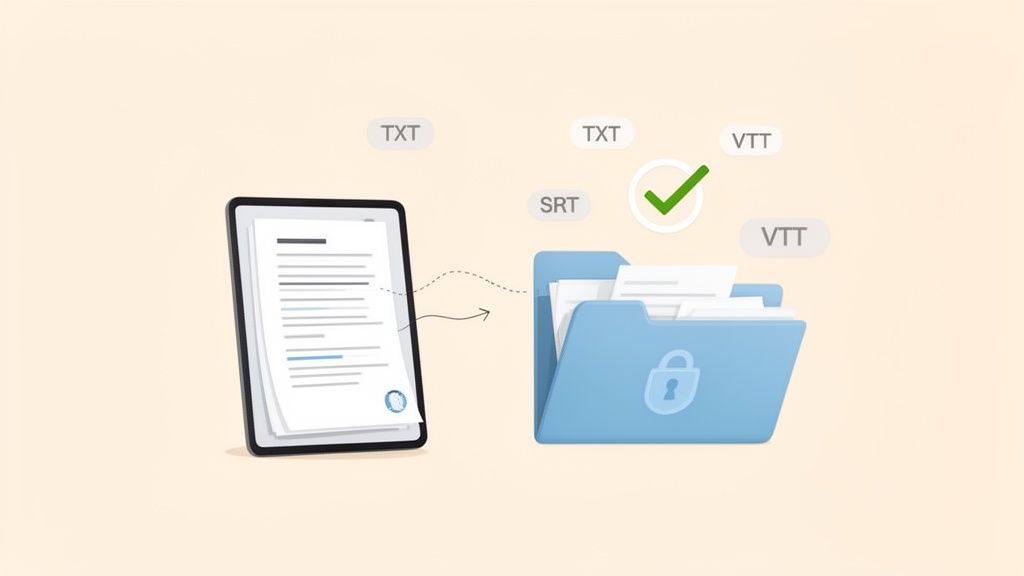
You’ve got your AI-generated summary, but don't hit "send" just yet. The last few steps—a quick polish and thoughtful sharing—are what separate a decent summary from an indispensable team resource. This is where you add the human touch, double-check the critical stuff, and make sure the right information lands in the right hands.
Think of the AI summary as a really, really good first draft. Before it goes out, give it a quick once-over. Does it reflect the actual tone of the conversation? Sometimes just adding a sentence of context—the "why" behind a decision, for instance—can make a world of difference.
This is non-negotiable when dealing with sensitive information. Always give it a final review to ensure confidential details are handled correctly before you share it with anyone.
Verifying Details and Choosing the Right Format
This is where a tool like SpeechYou becomes incredibly powerful. Ever read a summary and think, "Wait, is that really what they said?" Instead of trying to recall the exact phrasing, the timestamped audio is your best friend. Just click on that part of the text, and you can instantly listen to the original audio to confirm every detail. No more guesswork.
Once you’re happy with the content, you need to decide how to package it. Having a consistent format for all your meeting summaries makes them predictable and easy for everyone to scan. SpeechYou gives you a few handy export options:
- TXT: The workhorse. Perfect for pasting directly into an email, a Slack channel, or a task in Asana.
- SRT/VTT: Essential if you're creating subtitles for a video recording of the meeting, which is a huge win for accessibility.
This kind of flexibility is a must. A recent report showed that 50% of meeting professionals are leaning on AI and mobile apps to get more out of their content. This is exactly what SpeechYou is built for, with native mobile apps that let you keep things moving from anywhere. The full bullish outlook for 2025 corporate meetings report shows just how much this tech is becoming central to how we work.
Secure Distribution and Smart Storage
Finally, think about how you share the summary. Blasting it out in a company-wide email is rarely the right move.
A much better approach is to use secure team workspaces where you can control access. This keeps sensitive discussions contained to only the people who need to be involved. By setting roles and permissions, you get to decide who can view, edit, or share each summary.
Over time, this disciplined approach stops your notes from becoming digital clutter and starts building a secure, searchable knowledge base for your team. It’s the final step to properly summarize a meeting and turn a simple conversation into a protected company asset. And if you're ever curious about document length, check out SpeechYou's simple online word counter.
Frequently Asked Questions
Even with a slick new workflow, a few questions always pop up. Let's tackle some of the most common ones we hear from teams trying to master their meeting summaries.
How Long Should a Good Meeting Summary Be?
Nobody has time to read a novel. A great meeting summary should be scannable in five minutes or less.
Think of it this way: for a typical one-hour meeting, your summary should be about one-fifth the length of the full transcript. The goal isn't to document every single word but to pull out the high-impact stuff—key decisions, major takeaways, and who’s doing what next.
Using bullet points and bold headings is your best friend here. It makes the entire document easy to scan, which is a lifesaver for busy colleagues. Modern AI tools are built for this, automatically identifying the most important moments so you can hit that perfect length without losing critical details.
What Is the Best Format for Sharing Meeting Summaries?
Honestly, there’s no single “best” format. It really comes down to how your team already works. The most important thing is to pick one and stick with it for consistency.
Here are a few popular options and when to use them:
- Email: Perfect for shooting a quick, informal update to the internal team. It's fast, easy, and everyone has it.
- PDF: The go-to for more formal records, especially when you're sharing with clients or external partners. It locks in the formatting and just looks more professional.
- SRT/VTT: Planning to slice up that meeting recording for a training video or a social clip? Exporting to a subtitle format is a huge time-saver for accessibility and engagement.
- Team Workspace: If it's for an ongoing project, dropping the summary into a shared space like SpeechYou keeps all related documents in one place, accessible to everyone involved.
Whatever you choose, creating a simple template with attendees, key decisions, and a clear action item table (with owners and due dates!) will make everyone's life easier.
Can AI Accurately Capture Industry-Specific Jargon?
Yes, and you'd be surprised at how good it's gotten. Today's AI transcription engines are incredibly adept at understanding context and nailing technical terms and industry acronyms.
The secret? High-quality audio. A clear recording is the single most important factor. If the AI can hear it clearly, it can transcribe it accurately.
And for those rare moments when a term gets fumbled? The best tools have a simple fix. In SpeechYou, for instance, you can just click on any word in the transcript to hear the original audio snippet and type in a quick correction. It’s the perfect blend of AI speed and human oversight, ensuring your final summary is 100% accurate. Because SpeechYou has mobile apps and is available everywhere, you can even make these quick edits on the go from your phone.
Ready to stop dreading meeting notes and start creating a strategic asset? SpeechYou gives you the tools to record, transcribe, and summarize your meetings in seconds. Give yourself back a few hours this week. Try it for free and see what AI-driven clarity feels like.
Share this article
Related Articles

A Guide to Modern Meeting Transcription Software
Discover how meeting transcription software transforms conversations into actionable data. Learn to...

The 12 Best Google Meet Recording Software Options for 2026
Discover the top 12 google meet recording software tools. Compare AI summaries, transcriptions, and...

8 Essential Ground Rules for a Meeting to Boost Productivity in 2026
Transform your team's efficiency with these 8 essential ground rules for a meeting. Learn how to set...