
Your Guide to Getting a Perfect Zoom Meeting Transcript

A good Zoom meeting transcript is more than just a record of who said what. It's a goldmine. When you capture every word, you turn fleeting conversations into solid, actionable data that your team can use to stay aligned, pull out key insights, and even create new content.
Why Accurate Zoom Meeting Transcripts Matter
We've all been there. The virtual meeting ends, and within minutes, the brilliant ideas, critical decisions, and specific client feedback start to fade. They get lost in hazy memories or scribbled, incomplete notes. This is where an accurate transcript stops being a nice-to-have and becomes a real competitive edge.
Think about it in the real world. Your sales team can pull up the exact words a prospect used to describe their biggest problem, letting them write a proposal that speaks directly to that pain. A project manager can point to a timestamped agreement to clear up confusion and keep everyone on track. You just can't get that level of detail with a pen and paper.
Unlocking the Value in Your Conversations
With the massive shift to remote work, all that meeting audio is a treasure trove of data just waiting to be analyzed. Every single call is packed with insights that can shape your strategy, fix broken processes, and spark growth. The trick is getting that value out without wasting countless hours.
Trying to rely on manual note-taking is a losing battle. It’s slow, and it's always skewed by human error and personal bias. Important details get missed and the original context disappears.
An AI-powered transcription service is like giving your entire organization a perfect memory. It captures every detail and creates a searchable, verifiable record that lets your team make smarter decisions without the stress of trying to listen and type at the same time.
This need became crystal clear during the pandemic. In April 2020, Zoom’s daily meeting participants skyrocketed to 300 million—a mind-boggling 2,900% jump from just a few months earlier. This explosion in virtual meetings, detailed in 99firms' research on Zoom statistics, showed just how badly we needed a reliable way to document everything being said.
From Simple Notes to Strategic Assets
When you automate transcription, you're not just getting a simple record; you're creating a powerful tool for productivity and knowledge sharing. Instead of your team wasting time trying to decipher messy notes, they can jump right into the important work.
- Content Repurposing: That one-hour webinar? It can quickly become a series of blog posts, social media snippets, and email newsletters.
- Enhanced Accessibility: Transcripts open up your content to team members who are deaf or hard-of-hearing, and they're a huge help for anyone who simply prefers reading over listening.
- Improved Collaboration: A single, accurate record gets everyone on the same page. It cuts down on misunderstandings and makes teamwork smoother. For more on this, check out our guide on effective strategies for remote work collaboration.
Tools like SpeechYou make this a reality by transcribing your meetings with incredible accuracy. And because it's available everywhere with dedicated mobile apps, you can capture every important detail, no matter where you are.
Choosing Your Path to a Zoom Transcript
When you need to get a transcript from a Zoom meeting, you're really looking at two main paths. The first is using Zoom's own built-in transcription. It's right there in the app, and if you're the host with the right kind of paid plan, it can be a decent starting point for basic notes. It’s convenient, no doubt about it.
The other path is to use a dedicated AI transcription tool like Speechyou. This is the route you take when "good enough" just won't cut it. It’s for folks who need rock-solid accuracy, more flexibility, and features that go way beyond a simple text dump.
Why a Specialized Tool Makes a Difference
Let's be honest, services built from the ground up for one job almost always do it better. Speechyou, for instance, is powered by OpenAI's Whisper AI engine, which delivers near-human levels of accuracy. It doesn't stumble over complex jargon, multiple speakers talking over each other, or different accents nearly as much as a standard, built-in feature would.
This level of precision is a game-changer for sales teams trying to capture every client requirement or for legal professionals who can't afford a single misplaced word in a deposition. Think about it: research shows that nearly 75% of team leaders spend a ton of time just taking and cleaning up meeting notes every week. A highly accurate first draft from your AI tool slashes that manual editing time.
Plus, a major advantage of a tool like Speechyou is its 'Meeting Mode.' It’s a simple browser-based function that captures everything—both your microphone and the sound coming from your speakers. This means you can get a complete record of the conversation without needing host permissions or any complicated setup. You can be just a participant on the call and still walk away with a perfect transcript.
And since Speechyou has native mobile apps for iPhone, iPad, and Mac, and is available everywhere, you have that power with you wherever you're working.
Comparing Your Options Head-to-Head
To really see what works for you, it helps to put the options side-by-side. Zoom’s native feature is handy for a quick, internal summary, but a specialized tool operates on a completely different level.
The core difference comes down to control and capability. Do you just need a basic record, or do you need a powerful, searchable asset you can use for detailed analysis, content creation, and team collaboration?
To make it crystal clear, here’s a practical breakdown of how the two stack up.
Zoom Native Transcription vs SpeechYou Comparison
Choosing the right tool depends entirely on what you plan to do with the transcript. For a quick, informal summary, Zoom's built-in feature might be enough. But for professional workflows where accuracy, flexibility, and advanced features are critical, a dedicated service is the clear winner.
| Feature | Zoom Native Transcription | SpeechYou |
|---|---|---|
| Accuracy | Standard accuracy, can struggle with accents and jargon. | Near-human accuracy powered by Whisper AI. |
| Host Requirement | Yes, you must be the host with cloud recording enabled. | No, works for any participant using Meeting Mode. |
| Audio Capture | Records meeting audio via Zoom's cloud. | Captures both microphone and system audio directly. |
| Language Support | Limited to a set number of languages. | Supports over 100 languages with auto-detection. |
| AI Features | Basic summaries (requires specific plans). | AI summaries, action items, and Q&A on demand. |
Ultimately, deciding on your path forward comes down to your specific needs for a Zoom meeting transcript. If you need an occasional, simple record, Zoom's tool might just do the trick. But for anyone who relies on transcripts for their daily work, the precision, control, and advanced features of a dedicated service provide far more value in the long run.
If you want to see what a more advanced tool can do, you can explore how to convert your audio to text online with advanced tools.
Using Zoom’s Built-In Transcription Feature
For a lot of people, the quickest path to a Zoom meeting transcript is the one built right into the platform. If you're the meeting host and you're already on a qualifying paid plan, Zoom’s native feature is a decent starting point. It’s designed to be a simple, no-fuss way to turn your cloud recordings into a text file without reaching for any outside tools.
The process is pretty straightforward. As the account admin, you just need to pop into your settings, find the "Cloud recording" tab, and flick on the "Audio transcript" option. Once that’s enabled, any meeting you record to the cloud will automatically spit out a transcript file alongside the usual video and audio.
Accessing and Editing Your Zoom Transcript
Once your meeting wraps up and the cloud recording is done processing, Zoom will send you an email. From there, you can head over to your Zoom web portal, click into the "Recordings" section, and find everything you need.
You'll see the transcript in a panel right next to the video playback. It's timestamped and highlights the text as the video plays, which is handy for jumping to specific moments. Zoom even lets you do some light editing directly in this view. If you notice a name is misspelled or a word is off, you can click and fix it right there.
Understanding the Limitations
While it’s convenient, you’ll run into some pretty significant walls with Zoom's built-in feature. The biggest one? You must be the meeting host and have cloud recording enabled on a paid Business, Education, or Enterprise plan. If you’re just a participant or using a free account, you’re out of luck. This is a common headache when working with clients or external teams, a topic we touch on in our guide on recording meetings on other platforms.
The native feature is a closed system. It’s fine if you stay inside Zoom's world, but it falls short the moment you're not in the driver's seat or need a higher-quality transcript for professional work.
On top of that, the accuracy of Zoom's transcription can be a mixed bag. It often stumbles with:
- Strong accents or speakers who aren't native in the meeting's primary language.
- Technical jargon and industry-specific terms.
- Crosstalk, where several people are talking over each other.
This usually means you'll be spending extra time cleaning up the text afterward. For a quick, internal reference, it might be good enough. But if you need high accuracy for client-facing documents, legal records, or turning the meeting into content, you'll hit its limits fast. This is exactly where a dedicated tool like Speechyou shines. With its advanced AI and mobile apps, it's available everywhere to give you a much cleaner transcript, no matter your role in the meeting.
How to Get a Perfect Transcript with SpeechYou
When you absolutely need the highest accuracy and flexibility, a specialized tool is the way to go. I find that for a flawless Zoom meeting transcript, especially for high-stakes conversations, turning to a dedicated platform like Speechyou is a smart move. This works whether you're hosting the meeting or just attending.
The real magic here is a feature called 'Meeting Mode.' It’s entirely browser-based and cleverly bypasses the need for host permissions. How? It captures both your microphone audio and the system audio straight from your computer.
This means you can get a full, precise transcript of any Zoom call you're in without needing special access or clunky plugins. The process couldn't be simpler: launch Meeting Mode, hop on your Zoom call, and start transcribing with a single click.
Unlocking Unmatched Accuracy and Speed
At its core, Speechyou runs on the powerful Whisper AI engine, delivering accuracy that gets incredibly close to human transcriptionists. This is a huge time-saver. In fact, some studies show that nearly 48% of business leaders feel they spend far too much time on manual note-taking. An accurate AI tool practically eliminates that chore.
This level of precision is critical when you're dealing with complex audio, like:
- Multiple languages: It supports over 100 languages and can even figure out which one is being spoken automatically.
- Technical jargon: The AI understands industry-specific terms without any special training.
- Various accents: It’s been trained on a massive dataset, so it can correctly interpret a huge range of speaking styles.
And because it's available everywhere with dedicated mobile apps for iOS and Mac, you have this power right at your fingertips, whether you're at your desk or on the move.
The whole workflow is designed to be straightforward.
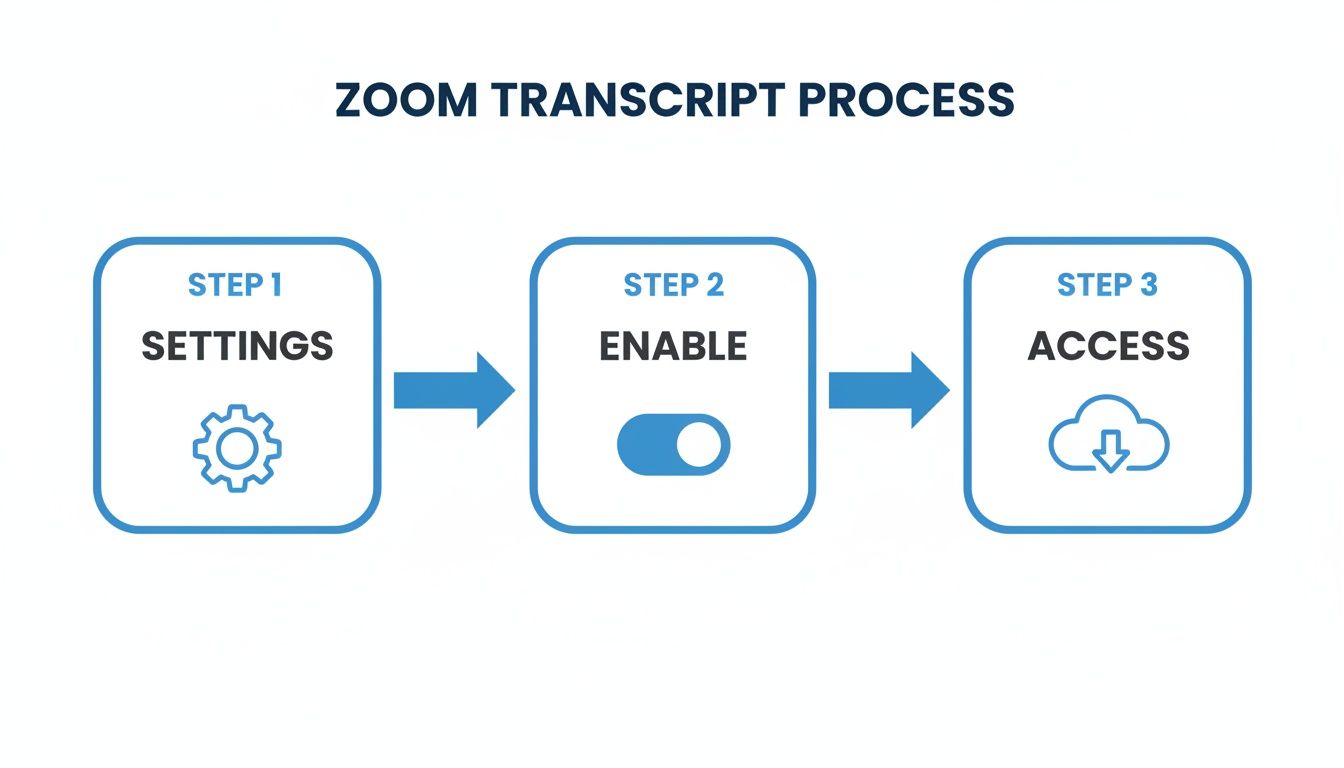
As the graphic shows, getting started is as simple as tweaking a few settings, enabling the feature, and then accessing your files.
From Live Call to Polished Transcript
Beyond transcribing live calls, Speechyou is also a beast at handling recordings you already have. If you've got a Zoom recording saved as an MP4 or M4A file, just upload it directly to the platform. The AI crunches through the file and delivers a complete transcript in minutes.
What truly sets a professional tool apart are the features that make the transcript immediately useful. It's not just about getting the words right; it's about making them easy to navigate and understand.
This is where you'll find features that save you hours of manual cleanup. For instance:
- Automatic Speaker Labeling: The AI intelligently identifies who is speaking and tags their dialogue. This is absolutely essential for making sense of a conversation with multiple people.
- Clickable Timestamps: Every word is synced perfectly with the audio. If you read a sentence that seems a bit off, you can just click on it to instantly hear that exact part of the recording.
This turns a flat wall of text into an interactive, searchable record of your meeting. The combination of live 'Meeting Mode' and the ability to upload past recordings means you're covered, no matter how you capture your Zoom audio.
Turning Your Transcript into Actionable Intelligence
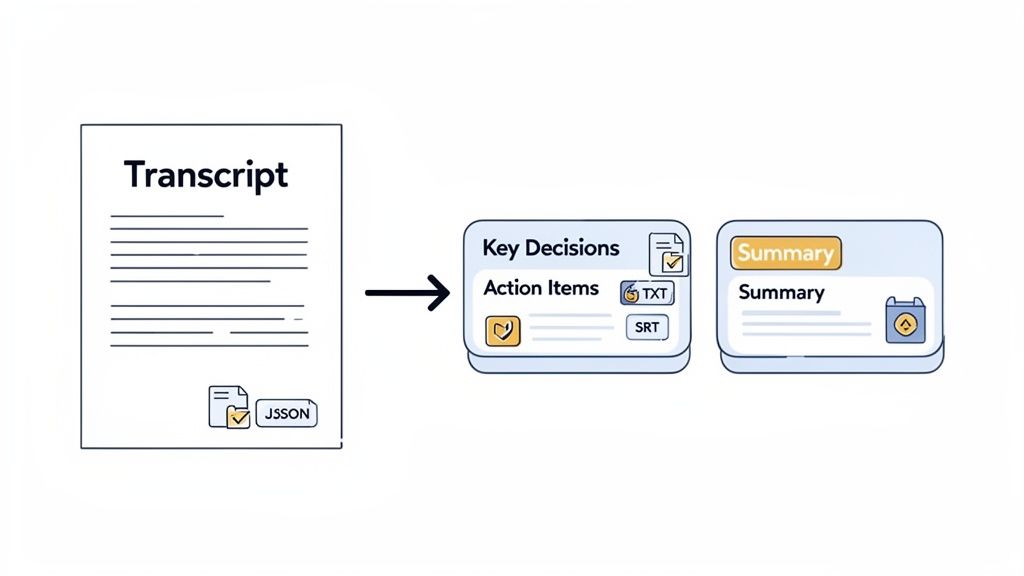
A raw Zoom meeting transcript is a great first step, but let's be honest—its real value isn't in the wall of text. The magic happens when you turn that conversation record into something you can actually use.
This is where you stop just documenting and start extracting real intelligence. Instead of manually scanning pages of dialogue, you can use AI to pull out the most important moments instantly.
From Raw Text to Instant Insights
With a tool like SpeechYou, this is as simple as asking a question. The 'Ask AI' feature works like a research assistant who remembers every single word of the meeting.
Just finished a big client call? You can immediately ask, "What were the client's three main pain points?" or "Summarize the key decisions made in the last 10 minutes." The AI reads the entire context and gives you a clean, accurate answer in seconds.
Here are a few prompts I use all the time:
- "Create a bulleted list of all action items and who they were assigned to." Perfect for project managers who need to build out a task list right after a call ends.
- "Generate a short, professional summary of this meeting to send to the team." This saves me from having to draft a follow-up email from memory.
- "What were the main objections raised during the sales pitch?" Incredibly useful for sales teams looking to sharpen their approach for the next conversation.
Choosing the Right Format for Your Needs
Once you have the key takeaways, you need to get them into the right format. A good transcription service gives you multiple export options, and knowing which one to use makes all the difference.
The ability to export in different formats is what connects your meeting data to the rest of your tools. It’s the bridge between conversation and action, allowing you to create subtitles, import data, or simply archive a clean text file.
Here's a quick rundown of the most common formats and what they're for:
- TXT: The simplest option. A plain text file is perfect for archiving, sharing as a basic document, or just pasting into your notes.
- SRT/VTT: These are your subtitle files. They come with precise timestamps, making them essential for adding closed captions to your Zoom recording. Great for accessibility and repurposing video clips.
- JSON: This is a structured data format for the more technical folks. It’s ideal for developers who want to feed the transcript data into another app, like a CRM or a data analysis tool.
Building a Searchable Knowledge Hub
The end goal here isn't just to analyze one meeting at a time. It's about building a collective intelligence for your entire organization.
Think about it: with a shared workspace, your whole team can access and search every meeting transcript. You can instantly find every time a specific client was mentioned or track the progress of a project across multiple calls. It creates a powerful, searchable knowledge base that gets smarter with every meeting.
And since SpeechYou is available everywhere with mobile apps, your team can tap into this intelligence from any device. For more tips on this, check out our guide to meeting notes generators.
Your Zoom Transcript Questions, Answered
When you're trying to get a reliable transcript from a Zoom call, a few common questions always seem to pop up. Let's walk through the answers you actually need.
Can I Get a Transcript if I Am Not the Host?
Yes, you can—and this is a big one. Zoom's own transcription feature is tied to the host's cloud recording permissions, which can be a real roadblock.
This is exactly why tools like SpeechYou were created. They use a browser-based "Meeting Mode" that doesn't rely on Zoom's internal settings at all. It simply captures the audio coming from your computer's system output and your microphone. This means you can get a full, accurate transcript of any meeting you're in, no host privileges required. Because SpeechYou has mobile apps and is available everywhere, this flexibility extends to any device you're on.
How Accurate Are AI Transcripts?
The accuracy can range from "barely usable" to "shockingly good," and it all comes down to the AI engine doing the work.
Basic, free tools often stumble over background noise, different accents, or specialized industry terms, leaving you with a transcript that needs heavy editing. In contrast, advanced platforms built on powerful models like OpenAI's Whisper AI deliver near-human accuracy right out of the gate. These models are trained on massive, diverse datasets, so they nail the nuances of technical jargon and varied speaking styles.
The key takeaway is that not all AI is created equal. The engine powering the transcription service is the single biggest factor in determining the quality of the final transcript.
What Is the Best Way to Transcribe a Multilingual Meeting?
Dealing with multiple languages requires a tool built specifically for that challenge. Forget fiddling with manual language settings; you need a service that can figure it out on its own.
Look for a platform with automatic language detection. For instance, SpeechYou supports over 100 languages and identifies which one is being spoken in real-time. This lets you capture a conversation that switches between Spanish, French, or German without missing a beat. And with SpeechYou having mobile apps, this powerful capability is available everywhere, right from your phone or tablet.
Are My Meeting Transcripts Secure with a Third-Party Tool?
This is a totally valid concern, and any reputable service will take it seriously. Top-tier platforms are designed with security as a core feature, not an afterthought.
Always check that the provider uses end-to-end encryption. This protects your data while it's being transferred and while it's stored. Leading tools like SpeechYou also use enterprise-grade cloud infrastructure, often with SOC 2 compliance, ensuring your sensitive meeting data is handled with the highest industry standards for privacy.
Ready to turn your conversations into actionable insights? With Speechyou, you can get accurate, timestamped transcripts from any Zoom meeting, whether you're the host or not. Try it today and see the difference. Learn more at https://www.speechyou.com.
Tags
Share this article
Related Articles

The 12 Best Speech to Text App for iPhone Options in 2026
Discover the top speech to text app for iPhone. We compare accuracy, features, and pricing for stude...

The 12 Best Speech to Text Software Options for 2026 (Ranked)
Discover the 12 best speech to text software platforms of 2026. Our in-depth review compares accurac...

Discover ai powered transcription software to streamline audio-to-text workflows
See how ai powered transcription software transforms audio into text quickly, with practical feature...