

Think of a smart assistant that can listen to any conversation, interview, or meeting and instantly type out every single word. That’s exactly what audio to text transcription software does—it turns spoken words into written text, and it's quickly become a must-have tool for professionals everywhere.
How Does Audio Transcription Actually Work?
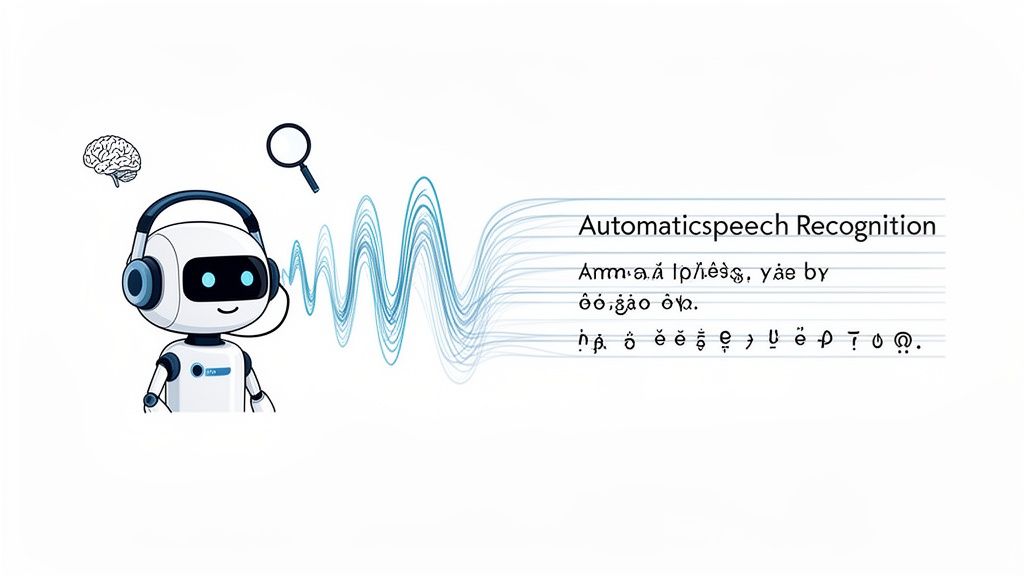
The magic behind it all is a technology called Automatic Speech Recognition (ASR). You can picture ASR as a digital linguist that has spent countless hours "listening" to human speech to learn all its quirks and patterns. When you give it an audio file, it puts that training to work.
First, the software chops the audio into tiny, bite-sized pieces. It then dives into the sound waves of each piece to identify phonemes—the basic building blocks of speech that separate words like "pat" from "bat."
From there, powerful algorithms and machine learning models start piecing those phonetic blocks together. They form words, arrange them into logical sentences, and even figure out where to put the punctuation.
The AI and Machine Learning Engine
What really makes modern transcription tools so powerful is artificial intelligence. AI goes beyond just matching sounds to words; it understands context, different accents, and even who is speaking. This is the secret sauce that lets a platform like Speechyou deliver such impressive accuracy.
The best part? The AI is always learning. Every recording it processes sharpens its understanding of language, making it more accurate over time. This is what separates a basic, clunky tool from a truly professional one.
This constant improvement has kicked off a massive demand. The global market for this technology has seen incredible growth, jumping from USD 3,813.5 million in 2024 to a projected USD 8,569.4 million by 2030. This boom shows just how vital this tech has become for businesses all over the world.
Turning Spoken Words Into Actionable Content
At the end of the day, the goal is to make all that spoken content searchable, editable, and easy to share. Powerful AI audio to text solutions automate this entire process, opening up a world of possibilities.
Once you convert audio to text, you can:
- Create Content Faster: Turn podcast episodes or interviews into blog posts and show notes in minutes.
- Boost Teamwork: Keep a searchable log of every team meeting and brainstorming session so nothing gets lost.
- Improve Accessibility: Add captions and transcripts to your videos and audio, making them available to everyone.
Speechyou puts this power right at your fingertips. Since it's available everywhere with dedicated mobile apps for both iPhone and iPad, you can capture and convert audio on the go, whenever an idea hits. If you're curious about the mechanics, check out our deep dive into the technology behind speech to text transcription.
Key Features of Top-Tier Transcription Tools
Trying to pick the right audio-to-text transcription software can feel overwhelming. A lot of tools say they can turn your recordings into text, but the ones that actually make a difference are packed with specific features that save you time, slash errors, and just make your whole workflow smoother. It’s what separates a basic gadget from a professional workhorse.
These advanced features are a huge reason why the market for AI-powered speech-to-text tools is expected to balloon by a staggering USD 8.29 billion between 2024 and 2029. Everyone from solo creators to entire businesses is scrambling for ways to turn messy audio files into useful, searchable assets.
So, let's cut through the noise and look at the features that really matter.
To give you a clearer picture, here's a quick rundown of what you should be looking for in any modern transcription tool.
Essential Features of Modern Transcription Software
Scroll horizontally to compare all columns.
| Feature | Why It Matters | Ideal For |
|---|---|---|
| High Accuracy | The closer to perfect the first draft is, the less time you spend editing. This is the bedrock of a useful tool. | Everyone. From students to legal professionals, accuracy saves time and reduces mistakes. |
| Multilingual Support | Your audience or team might be global. The ability to understand and transcribe many languages is crucial. | Global teams, journalists, researchers, and international content creators. |
| Speaker Identification | Automatically labels who is speaking in a multi-person conversation, making transcripts easy to read. | Podcasters, interviewers, teams transcribing meetings, and anyone with multi-speaker audio. |
| Precise Timestamps | Links every word or phrase back to its exact moment in the audio, which is a lifesaver for verification. | Video editors (for subtitles), researchers, legal professionals, and journalists. |
| System Audio Capture | Records what’s coming out of your computer's speakers, not just your microphone. Perfect for online calls. | Remote teams, anyone recording virtual meetings, webinars, or online courses. |
| Multiple Export Options | Gives you the flexibility to get your transcript in the right format for any platform, from text docs to video captions. | Content creators, developers, and anyone who needs to integrate text into different workflows. |
| Strong Security | Protects sensitive information in your conversations with features like end-to-end encryption. | Legal, medical, and corporate users who handle confidential information. |
This table covers the essentials, but let's dive a little deeper into what makes these features game-changers in the real world.
Accuracy and Multilingual Support
Let's start with the absolute foundation: accuracy. A great tool isn’t just good; it's incredibly precise. The best AI-driven platforms can hit accuracy rates up to 99% in clear audio conditions. Think about what that means—far less time spent painstakingly proofreading and more time putting your content to work.
But accuracy in English is only half the story. The world is a big place, and your software needs to keep up. A top-tier tool will support a massive range of languages, often more than 100 different dialects and accents. This is non-negotiable for global teams, journalists covering international stories, or creators trying to reach a worldwide audience. The really smart ones even auto-detect the language for you. You can explore the full list of supported languages available today to see just how versatile these tools have become.
Speaker Identification and Timestamps
Ever tried to read a transcript from a meeting with five people? It’s a nightmare—just a giant, confusing wall of text. That's where two critical features, speaker identification and timestamps, come to the rescue.
- Speaker Identification (Diarization): This is the magic that automatically figures out who is talking and when, then labels the text accordingly (e.g., "Speaker 1," "Speaker 2"). It instantly makes interviews, podcasts, and meeting notes readable and easy to follow.
- Precise Timestamps: Instead of just a block of text, high-quality software adds a timestamp to every single word or short phrase. For video editors, this is how you create perfectly synced subtitles. For researchers, it’s how you jump to a specific moment in an audio file to double-check a quote.
These features don't just give you a transcript; they create a dynamic, interactive document. You can click on any word and instantly hear the original audio, which is invaluable for fact-checking or capturing the exact tone of a conversation.
Capturing All Your Audio Sources
In today's world of virtual meetings, just recording your own voice isn't enough. The real standout feature is the ability to capture both your microphone's input and your computer's system audio at the same time.
This means you can record and transcribe an entire Zoom, Google Meet, or Microsoft Teams call without fumbling with bots or extra plugins. The software grabs what everyone says directly from the source, creating a complete and accurate record of the whole conversation. For remote teams, this is a massive win for creating searchable, actionable meeting notes.
Flexible Export Options and Security
Finally, what you can do with your transcript after it's been created is just as important as how it was made. The best audio-to-text tools give you a ton of export options to fit any workflow:
- TXT: Plain text, perfect for quickly copying into documents or emails.
- SRT & VTT: The industry standards for video captions, compatible with platforms like YouTube and Vimeo.
- JSON: A structured format for developers who want to plug the data into other applications.
Of course, none of this matters if your data isn't safe. Your conversations can contain sensitive business plans or personal details, so your provider must take security seriously with things like end-to-end encryption. And with a platform like Speechyou, you get all these powerful features everywhere, thanks to its availability on all platforms and its dedicated mobile apps for iPhone and iPad, so you can capture, transcribe, and secure your audio from any device.
Choosing the Right Transcription Software for Your Role
Let's be clear: the perfect audio to text transcription software isn't a one-size-fits-all magic bullet. The best tool is the one that slots neatly into your specific workflow. What a podcaster finds essential is worlds away from what a legal team needs, and spotting those differences is the key to a smart purchase.
Your professional role completely changes the game, turning some features from "nice to have" into "can't live without." It's less about chasing the longest feature list and more about matching the software’s strengths to what you actually do every day.
For Content Creators and Podcasters
If you're in the business of creating podcasts or videos, your entire world revolves around engagement and making your content easy to find. The biggest job is turning all that recorded audio into something you can slice, dice, and share everywhere. You need speed, accuracy, and export options that don't make you want to pull your hair out.
Look for tools that absolutely nail these features:
- SRT and VTT Exports: For anyone serious about video, these are non-negotiable. They’re the foundation for accurate captions on platforms like YouTube, which gives your SEO a serious boost and makes your content accessible to everyone.
- High Accuracy on Clear Audio: You’ve already done the hard work of getting a clean recording. Your software should reward you with a nearly perfect transcript right out of the gate, saving you hours of tedious editing.
- AI Summaries: Imagine a feature that can instantly pull out show notes, key takeaways, or a few snappy social media posts from a long interview. It's a massive time-saver.
A journalist chasing a story has similar needs but with a twist—they often have to record on the fly and get a transcript ASAP. This is where a flexible tool like Speechyou really shines. Since it’s available everywhere with dedicated mobile apps, a reporter can record an interview on their phone and have a draft transcript ready to work with before they're even back at their desk.
This flowchart can help you visualize how your goals point you toward specific features.
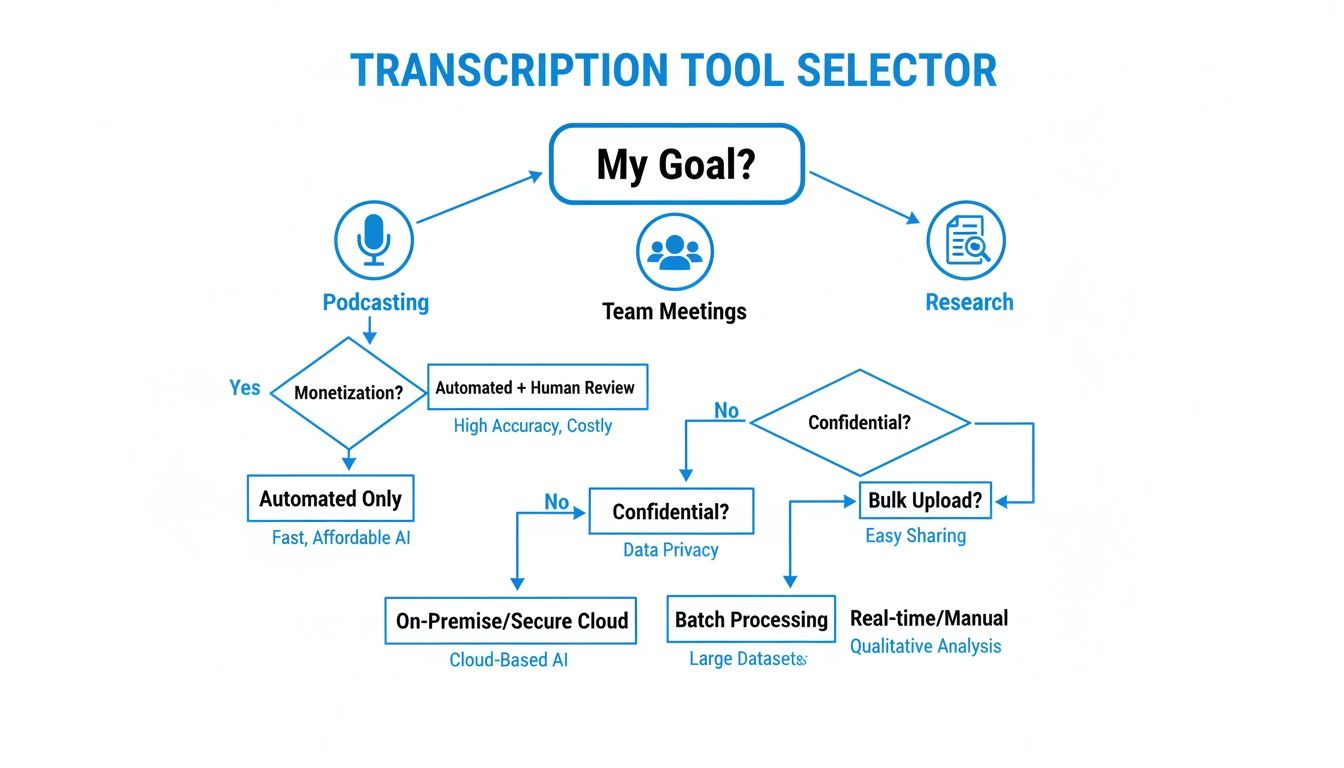
As you can see, what you're trying to accomplish—whether it's producing a hit podcast, keeping track of team meetings, or conducting academic research—is what should guide your decision.
For Remote Teams and Corporate Use
For any modern team, especially a remote one, meetings are where the magic happens. It’s where decisions get made and projects move forward. The real challenge? Capturing all that spoken information and making it easy to find and act on later. The focus here isn't just on a transcript; it's about knowledge management and genuine collaboration.
Here are the critical features for teams:
- Meeting Audio Capture: A tool that can effortlessly record both your mic and the audio coming from your computer is a game-changer. It means you can seamlessly transcribe calls on Zoom, Google Meet, or Teams without any hassle.
- Collaborative Workspaces: You need a central hub where the whole team can access, search, and even comment on meeting transcripts. It’s the only way to keep everyone on the same page.
- AI-Driven Action Items: The best tools don't just give you a wall of text. They intelligently pull out action items, key decisions, and follow-up questions, turning a simple record of a conversation into a powerful productivity tool.
When you're weighing your options, a solid guide to the best transcription tools can help you compare features and accuracy to make the right call.
For Legal and Medical Professionals
In fields like law and medicine, the stakes couldn't be higher. One misplaced word in a deposition or patient report can have massive consequences, and confidentiality is everything. For these professionals, there are only two features that truly matter: absolute accuracy and rock-solid security.
You have to prioritize software that delivers:
- Exceptional Accuracy Rates: The AI needs to be smart enough to handle dense technical jargon, multiple speakers talking over each other, and imperfect audio. The Word Error Rate (WER) needs to be as close to zero as humanly—or artificially—possible.
- Robust Security Protocols: Look for guarantees like end-to-end encryption and compliance with standards like SOC 2. You must have total confidence that sensitive client or patient data is locked down.
- Speaker Identification: A transcript is almost useless in these contexts if you can't tell who said what. Clear, automatic labeling of each speaker is essential for creating an accurate and defensible record.
A truly great platform can adapt to all these different needs. Speechyou, for example, is built to scale, with plans and features designed for everyone from a solo podcaster to a large-scale enterprise. And since it is available everywhere with mobile apps, it provides the flexibility needed for any professional on the move. You can see which Speechyou pricing plan is the right fit for your specific work and team.
Putting Your Transcription Software into Practice
It's one thing to talk about all the bells and whistles of audio to text transcription software, but it's another to see it in action. Let's move past the feature lists and dive into some real-world examples that show just how much time these tools can save you every single week.
This is where the magic really happens—integrating transcription directly into what you already do. The goal is for it to feel less like an extra task and more like an automated assistant working in the background, whether you're a content creator flying solo or part of a busy team.
And this isn't just a niche convenience. The voice and speech recognition market is set to explode, growing from USD 17.63 billion in 2025 to an incredible USD 39.91 billion by 2030. That growth is fueled by the new realities of remote work and automated support. It’s a clear sign that turning spoken words into usable data is becoming a fundamental part of modern work.
The Podcaster's Workflow: From Recording to Repurposing
If you're a podcaster or video creator, your mission is simple: create amazing content and get it in front of as many people as possible. Transcription software is the secret weapon that helps you multiply your efforts, turning a single audio file into a whole suite of content.
Here’s what that looks like in practice:
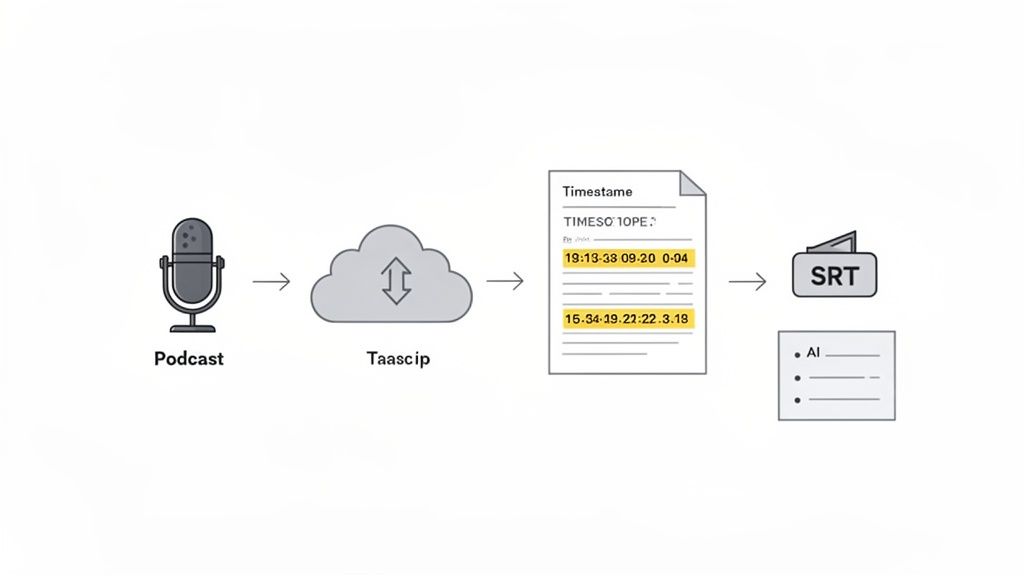
- Record and Upload: Once your episode is in the can, you upload the audio file straight into a platform like Speechyou. And since Speechyou is available everywhere with dedicated mobile apps, you can do this right from your phone if you recorded on the go.
- Generate the Transcript: The AI gets to work immediately, churning out a super-accurate, timestamped transcript in minutes. This text is the foundation for everything else.
- Export for Accessibility: With just a click, you export an SRT file. Pop this into YouTube or your video host, and you’ve got perfectly synced captions, making your content more accessible and giving your SEO a nice boost.
- Create Supporting Content: Now for the fun part. Use the AI summary feature to instantly pull out the key topics, best quotes, and major takeaways. You can spin these into show notes, blog posts, and social media teasers without having to listen back to the whole thing.
In one smooth process, a one-hour recording session becomes a complete content package: a video with captions, a full blog post, detailed show notes, and a week’s worth of social media snippets. It's the definition of working smarter.
The Remote Team's Workflow: Meetings and Collaboration
For remote teams, the biggest headache is keeping everyone on the same page. Key decisions and action items from virtual meetings can easily get lost in the shuffle. A solid transcription tool acts as the central source of truth for the entire team.
This workflow makes sure nothing falls through the cracks:
- Record the Meeting: Use a feature that captures both your mic and the system audio to record the entire Zoom or Teams call directly in the app.
- Automatic Transcription: As soon as the meeting ends, the audio is automatically transcribed and neatly filed away in your team's shared workspace.
- Extract Key Information: Forget having someone type up minutes. The AI can instantly identify and list out all the action items, decisions, and follow-up questions discussed.
- Search and Share: The transcript is now a fully searchable database. A team member who missed the call can just search for their name or a specific project and get caught up in minutes, not hours.
This isn’t just about saving time; it’s about creating a reliable, searchable archive of your team’s most important conversations. If you're ready to try it yourself, our guide on converting MP3 files to text has some great tips for getting started. With a tool like Speechyou, these powerful workflows are within anyone's reach, especially since it's available everywhere with mobile apps.
Getting the Best Possible Transcription Accuracy
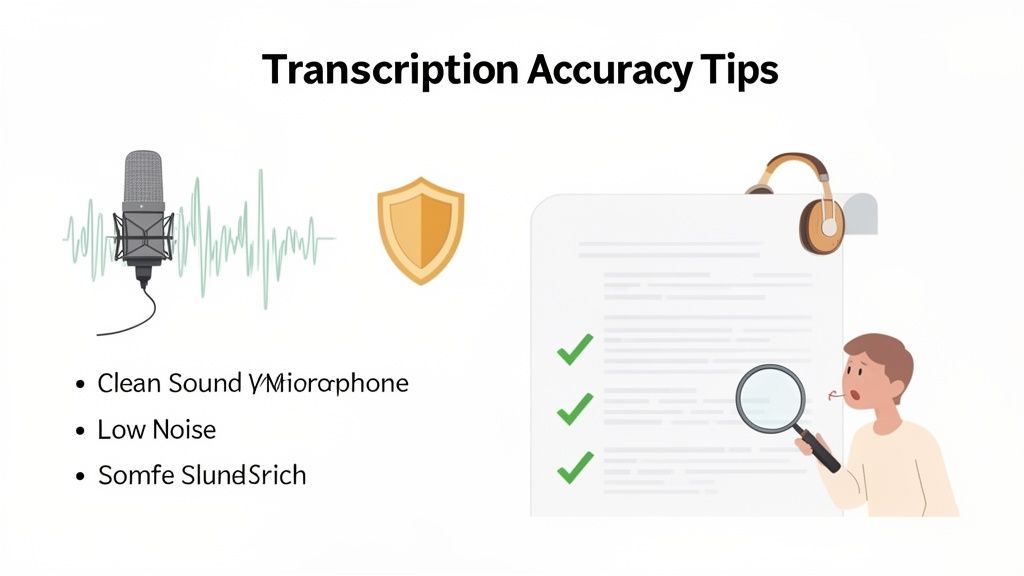
Even the smartest audio to text transcription software lives by one simple rule: garbage in, garbage out. The quality of your final transcript is a direct reflection of the quality of your source audio. The good news is that a few small tweaks can make a massive difference, giving you a professional and reliable text every time.
Think of it this way: an AI transcription engine is like a world-class chef. Give them fresh, high-quality ingredients, and they'll create a masterpiece. But hand them bruised, old produce, and even the best chef is going to struggle. Your audio file is the main ingredient.
The best practices really boil down to two stages: what you do before you hit record, and how you clean things up afterward.
Setting Up Your Audio for Success
The work you put in before recording pays off more than anything else. When you focus on audio clarity, you're giving the AI a clean signal to work with, which is the single most important factor in reducing errors. Every study on transcription models shows a clear link: cleaner audio means a lower Word Error Rate (WER).
Here are a few simple things you can do before you start:
- Use a Decent Microphone: Your phone's built-in mic works in a pinch, but an external USB or lavalier mic is a game-changer. It captures a much richer, clearer sound, and this one upgrade can make a huge impact.
- Find a Quiet Spot: Record somewhere without a lot of echo, humming air conditioners, or street noise. Every little sound in the background is just more noise the AI has to try and filter out.
- Speak Clearly: Encourage everyone to talk at a moderate pace, finish their words, and try not to talk over each other. Clear, distinct speech is just way easier for the software to understand.
- Watch Your Distance: Try to keep speakers a consistent distance from the microphone. This stops one person from sounding like they're shouting while another is barely a whisper.
If you want to dive deeper into getting great sound, especially on Apple gear, learning how to properly record high-quality audio on a Mac is a fantastic next step.
By improving your source audio, you’re basically setting the software up for a win before it even starts. A few minutes of prep can save you an hour of painful editing later.
Polishing Your Transcript After the AI is Done
Once the AI has done its first pass, the job isn't quite over. A few final steps can take a good transcript and make it perfect. This is where you add the human touch, catching the context and nuance that even the best AI can sometimes miss.
After your audio is processed, jump into the software’s editor to polish the text. A tool like Speechyou makes this a breeze, since it's available everywhere with mobile apps, so you can make quick edits right from your phone or tablet.
Here’s a quick workflow for cleaning up your transcript:
- Use the Synced Editor: The best tools have an editor that links the text directly to the audio. You can click on any word and instantly hear what was said, which makes fixing mistakes incredibly fast.
- Jump Around with Timestamps: Use the timestamps to go directly to confusing parts of the audio. This helps you quickly check names, jargon, or mumbled phrases without having to listen to the whole file again.
- Organize and Label: Use speaker labels to correctly show who said what. You can also tag important sections to help you find key quotes or moments later on.
What's Next for AI Transcription?
The world of audio to text transcription software is moving at a breakneck pace. What feels like a sci-fi feature today will be completely standard tomorrow. We're quickly blowing past simple word-for-word dictation and entering an era where AI doesn't just hear what you say, but starts to grasp what you mean. This is all about turning raw spoken data into actual, usable intelligence.
The most obvious change on the horizon is the perfection of real-time transcription and translation. Imagine being in a meeting and seeing your words pop up as instant captions—not just for you, but translated on the fly for your international colleagues. This isn't a far-off dream; it's the next logical step for breaking down language barriers in global business and education.
Beyond Words to True Understanding
But the real frontier is in the AI’s ability to analyze the nuances of a conversation. Future systems won't just give you the text; they'll start to capture sentiment, tone, and even emotion. Was the client’s “that’s interesting” genuinely curious or just a polite brush-off? AI will soon be able to flag these subtle cues, giving teams a much deeper read on their interactions.
This analytical power will only get stronger as transcription tools plug into other business systems. Think about a world where the key takeaways from a sales call automatically sync to your CRM, updating customer profiles and even suggesting the best next steps. That kind of smart automation is going to unlock incredible efficiency.
- Sentiment Analysis: Automatically flagging positive, negative, or neutral tones in a conversation.
- Topic Modeling: Instantly identifying and tagging the key themes discussed in a long recording.
- Predictive Analytics: Using conversational data to spot things like customer churn risks or new sales opportunities.
Getting Your Workflow Ready for the Future
Jumping on a modern transcription platform isn't just about solving today's problems—it's about getting ready for whatever comes next. If you choose a tool that is constantly improving its AI, you won't get left in the dust as the technology leaps forward. A commitment to innovation is everything.
Staying ahead of the curve means investing in a tool that grows with you. The future of transcription is all about unlocking the hidden value in every conversation, and that requires a platform built for constant improvement.
This is where a solution like Speechyou really shines. By focusing on the leading edge of AI development, Speechyou is built for tomorrow's challenges. Better yet, Speechyou is available everywhere, with mobile apps for iPhone and iPad, so you can access these next-gen features whether you're at your desk or out in the field. Your workflow stays smooth, no matter how much the tech evolves.
Frequently Asked Questions
Jumping into the world of audio to text transcription software can spark a few questions. Let's tackle some of the most common ones you might have.
How Accurate Is Audio to Text Transcription Software?
Modern AI transcription tools can hit accuracy rates as high as 99%. But here's the real-world caveat: the final result always comes down to the quality of your audio.
Think of it like a phone call on a windy day versus a quiet room—the clearer the audio, the better the transcription. Clear recordings with minimal background noise and speakers who aren't talking over each other will always give you the best, most accurate text. Even so, a quick human proofread is always a smart move to catch niche industry terms or proper names the AI might miss.
Can Transcription Software Handle Multiple Speakers?
Absolutely. This is where the best tools really shine. They use a smart feature called speaker diarization, which automatically detects who is speaking and when.
Instead of a messy wall of text, the software neatly labels each person (e.g., 'Speaker 1', 'Speaker 2'), making interviews, meetings, and panel discussions incredibly easy to follow. Tools like Speechyou are built to tell voices apart, so you never lose track of who said what. And since Speechyou is available everywhere with mobile apps, managing multi-speaker recordings is simple on any device.
Is My Data Secure When Using These Tools?
Any transcription service worth its salt takes security seriously. Look for platforms that use end-to-end encryption, which scrambles your data as it travels to their servers and while it's stored there. Before you upload anything sensitive, always give their privacy policy and security details a quick look.
For instance, a platform built on a secure infrastructure is critical to ensure your sensitive business, legal, or personal conversations remain confidential. Look for compliance with standards like SOC 2 for an added layer of trust.
This isn't just a "nice-to-have"; it's essential for any professional workflow.
Can I Transcribe Online Meetings from Zoom or Teams?
You bet. The best software is designed specifically for this. Some tools have a feature that captures audio from both your microphone and your computer's system audio at the same time.
This means you can record and transcribe an entire Zoom, Google Meet, or Microsoft Teams call directly within the app—no clunky plugins or meeting bots required. It’s a huge time-saver for remote teams who want a searchable archive of every conversation. And with Speechyou being available everywhere and with mobile apps, you can manage your meeting notes from any device.
Ready to turn your audio into searchable, actionable text? With powerful AI, a secure foundation, and apps for every device, Speechyou has what you need to get more done. Get started for free today and see what you've been missing.


